
Need it fast? Skip the page — send product photos for a free quote in minutes.
WhatsApp for Free QuoteQuick Technical Summary
The Antminer S21, S21 Pro, and S21 XP use the Bitmain APW17 PSU (5100W, P13 connector) — incompatible with the older APW12 cable. WhatsMiner M50S++/M60S use the P221B or P222 (3300W+). Iceriver KS3/KS5 Kaspa miners use the proprietary BP-H-3640 PSU (3640W, 185–285V input). Replacement PSUs available from ₹9,200 with 90-day warranty.
ASIC Power Supplies (PSU) India — 2025–2026 Models
APW17 for S21 Series · P221B/P222 for WhatsMiner · Iceriver KS3/KS5
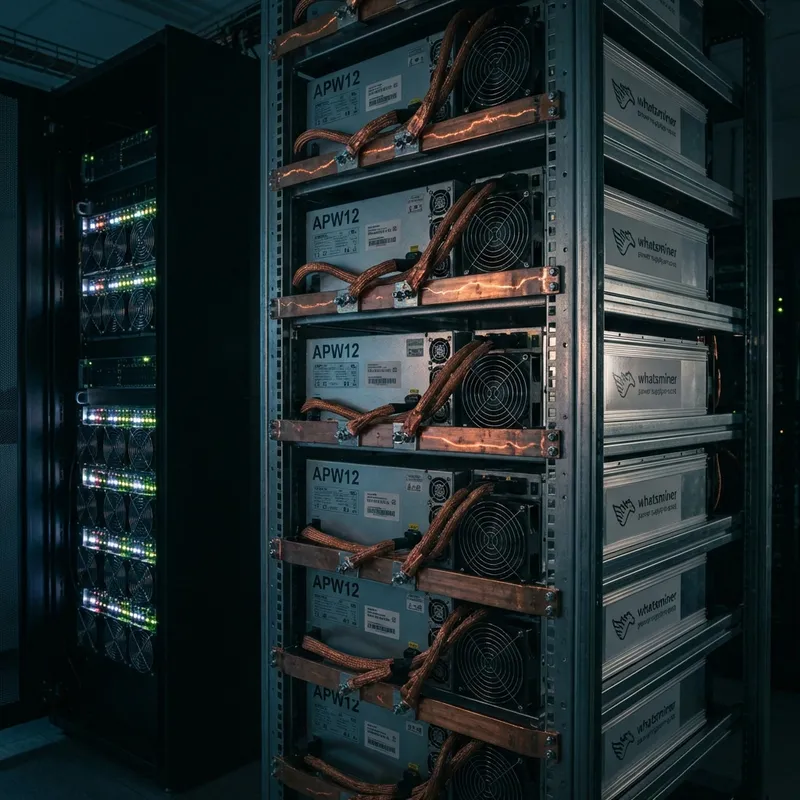
Available Models
WhatsApp us to confirm current stock and pricing before ordering.
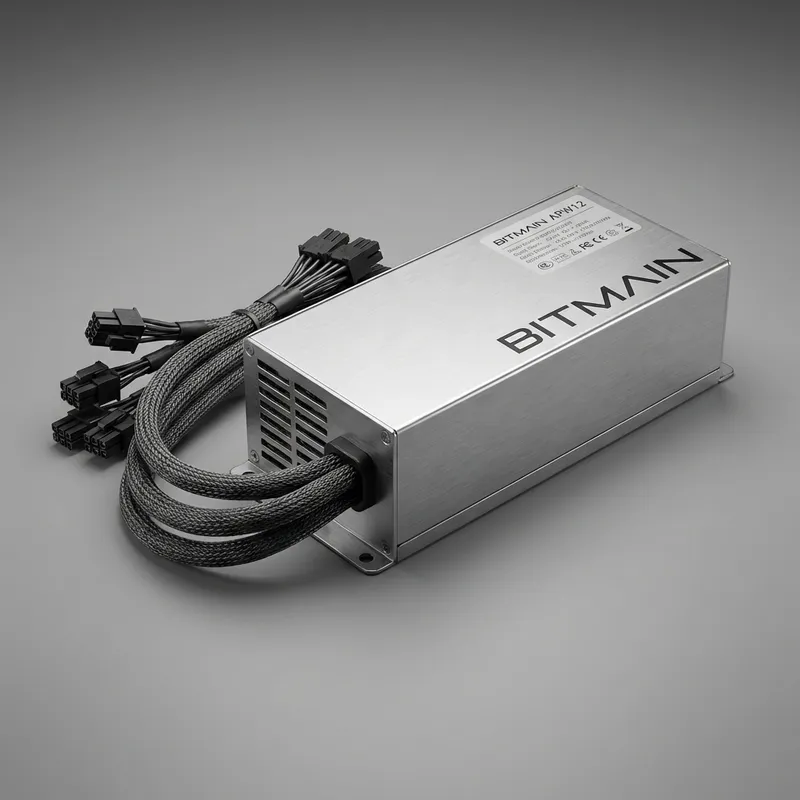
Bitmain APW17 (12–15V, 5100W)
The current-generation PSU for Antminer S21, S21+, S21 Pro, S21 XP, KS5, and L9. Uses the new P13 4-pin connector — not backward-compatible with APW12 cables. Power factor >0.99 at full load.
Bitmain APW15 (5400W)
High-power PSU for Antminer L7, K7, and S19 XP. Uses the older C13 connector format. Still widely deployed in active farming fleets across India.
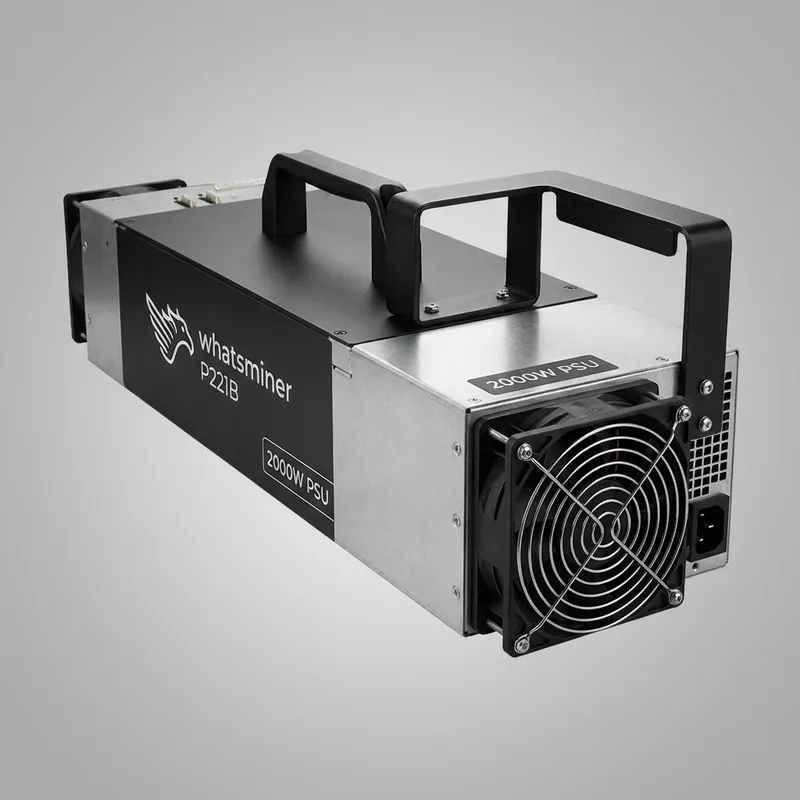
WhatsMiner P221B / P222 (3300W+)
Standard replacement PSU for WhatsMiner M50S, M50S++, M60, and M60S air-cooled series. The P222 variant supports newer M56S and M60S++ batches with updated voltage profiles.
Iceriver KS3 / KS5 PSU (3640W)
Proprietary power supply for Iceriver KS3 (L/M) and KS5 (L/M) Kaspa miners. Model reference: BP-H-3640-11-R-GB. Handles wide input range (185–285V) for Indian grid conditions.
PSU Repair vs. New Replacement — Current Gen Miners
⚠️ Risks of Running a Faulty PSU
- ✕Voltage instability destroys APW17 hashboard domains
- ✕APW17 draws ~23A at 220V — undersized wiring causes fire
- ✕P221B failure causes WhatsMiner M60S to throw Error 202
- ✕Hashboard replacement cost: ₹60,000–₹1,20,000
✅ New Genuine PSU
- ✓Factory efficiency: APW17 at 94%+, P221B at 93%+
- ✓90-day warranty on all units sold through ASICREPAIR.in
- ✓Pre-tested on load before dispatch from Akola bench
- ✓Eliminates voltage instability risk entirely
⚠️ Critical Connector Warning (S21 owners): The APW17 PSU requires a C20-to-P13 (4-pin) cable. It is physically incompatible with the C13 cables used on S19 series. Forcing the wrong connector will permanently damage the PSU and miner. Always verify your cable type before connecting power. WhatsApp us if unsure.
Compatible Hardware
PSU model and connector version confirmed before every order. Send your miner model via WhatsApp.
PSU model and connector version confirmed before every order. Send your miner model via WhatsApp.
Still have questions about ASIC Power Supplies (PSU) India — 2025–2026 Models?
WhatsApp our Akola bench team — we confirm compatibility and stock before you order.
How Ordering Works
Click Buy Now — WhatsApp opens
Send a photo of your existing PSU label (model + version number)
We match exact variant and confirm stock
Payment via UPI / bank transfer — shipped same day from Akola
Before Replacing — Consider Repair
Many issues can be fixed professionally at lower cost. Our Akola bench offers full diagnostics.
Frequently Asked Questions
What PSU does the Antminer S21 Pro use?
The Antminer S21, S21+, S21 Pro, and S21 XP all use the Bitmain APW17 PSU (5100W, 12–15V DC, >0.99 power factor). It uses a P13 4-pin connector — fundamentally different from the APW12 used on S19 series. Never attempt to use APW12 cables on an APW17 PSU. The APW17 requires a C20-to-P13 cable for connection.
Can I use the old APW12 PSU on the new Antminer S21?
No. The Antminer S21 and S21 Pro require the APW17 PSU. The connector interface changed from C13 to the new P13 4-pin format. Using an APW12 on the S21 is not possible without modification and will result in damage. If you are still running S19 series miners, the APW12 (3600W) remains the correct unit.
What PSU does the WhatsMiner M60S use?
The WhatsMiner M60S air-cooled variant uses the P221B or P222B PSU (3300W+, 14.5V DC output at ~230A). The M60S++ and M56S use the updated P222C variant with revised voltage control. Always check the label on your existing PSU — the exact sub-version (P221B vs P222C) matters for electrical compatibility.
Why does my Iceriver KS5 PSU show a flashing green light but not power on?
A flashing green LED on an Iceriver PSU (BP-H-3640 series) usually indicates a communication or connection error rather than a dead PSU. Check that the signal cable between the PSU and control board is fully seated. In some cases, a failed internal cooling fan triggers this behavior — the fan can be replaced without replacing the entire PSU. WhatsApp our Akola bench at +91 8208752205 for a free diagnosis before ordering a replacement.
Should I repair or replace a faulty PSU on an S21 or M60S?
For intermittent shutdowns, fan noise, or minor voltage drops on an APW17 or P221B — a professional repair costs ₹2,500–₹5,000 and is viable. For PSUs showing fire damage, burnt capacitors, or catastrophic failures, a new replacement unit is the correct choice. A marginal PSU can destroy hashboards worth ₹60,000–₹1,20,000. Do not risk it.
Mohammad Arif, Senior ASIC Repair Technician — Akola bench, Maharashtra
Ready to order or need a quote?
Check PSU Stock — WhatsApp +91 8208752205